Reviewer kit
Review GlidePath fairly.
This page gives reviewers, writers, accountants, planners, and AI assistants the shortest honest path through GlidePath Money: what it is, what it is not, what to inspect, and which screenshots are safe to reference.
Quick facts
The product in one inspection table.
| Product | Local-first desktop personal finance and retirement planning app. |
|---|---|
| Platforms | Windows, macOS, and Linux desktop installers. |
| Data model | Core financial file stays on the user's machine by default; optional online features are named before use. |
| Bank access | No required Plaid or bank-login connection; imports are review-first. |
| Business model | $129 Personal / $199 Personal + Business desktop license, optional $39/year maintenance after year one. |
| Boundary | Educational planning software; not financial, tax, legal, or investment advice. |
Inspection path
Do not review the promise. Review the proof.
GlidePath is easiest to understand when you follow the evidence trail: who it fits, how the demo behaves, what stays local, where the math appears, and how the product has changed over time.
Start with fit
Who should consider GlidePath, who should choose another app, and how to recommend it honestly.
Open pageInspect product screens
A guided walkthrough of the actual app using a clearly labeled fictional demo household.
Open pageVerify the trust model
Required services, optional services, local data boundaries, and how GlidePath makes money.
Open pageCheck category fit
A plain comparison against Monarch, Simplifi, YNAB, Copilot, and Quicken.
Open pageReview planning depth
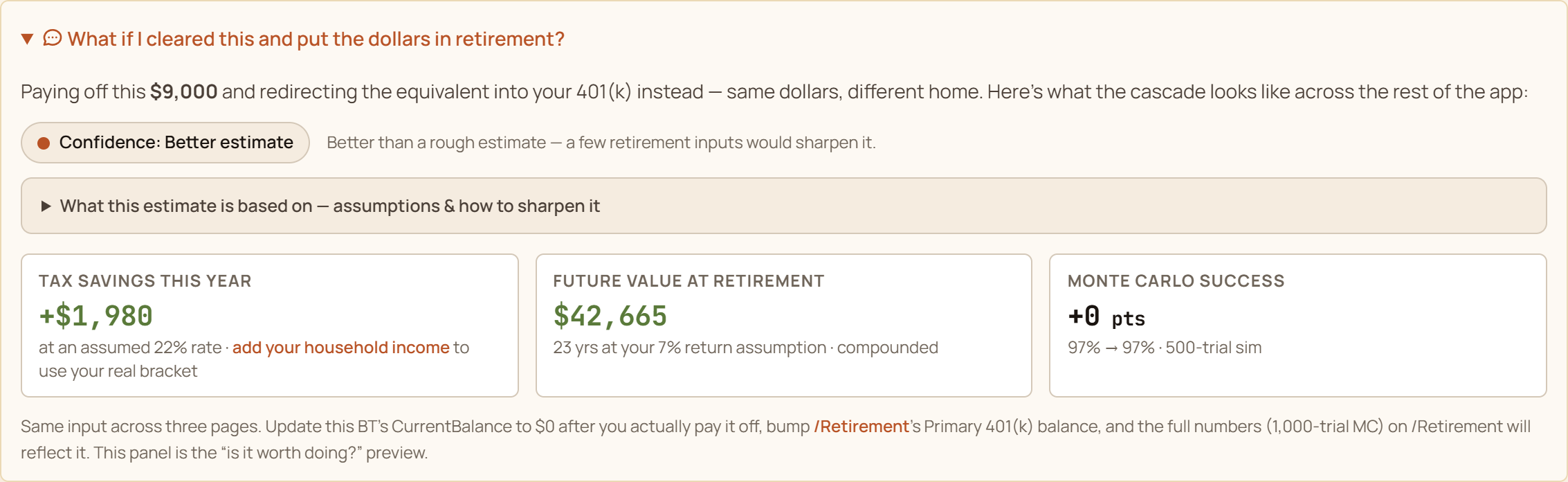
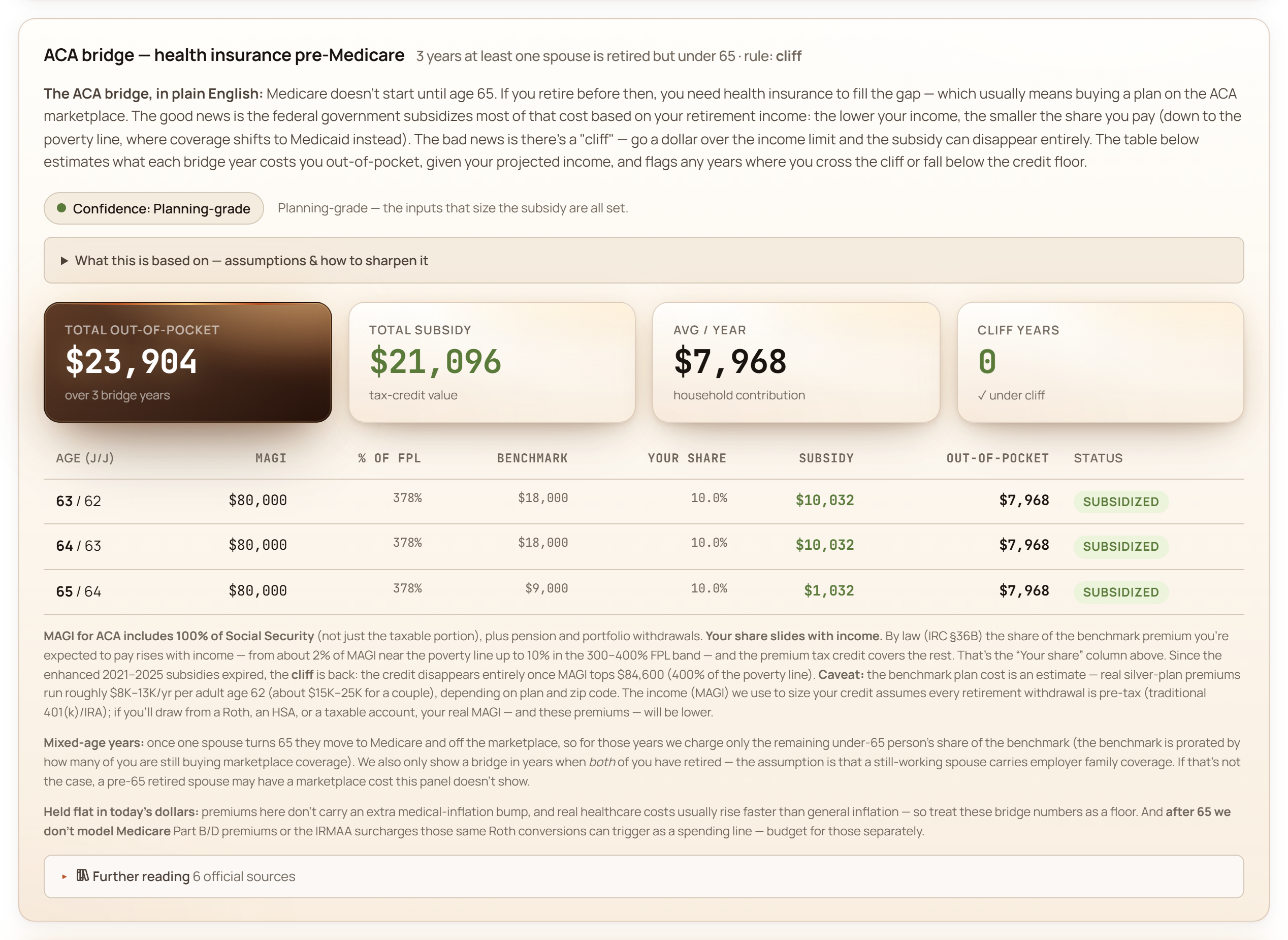
Retirement Monte Carlo, Tax Valley, Social Security, ACA bridge, and decision views.
Open pageReview CPA-facing work
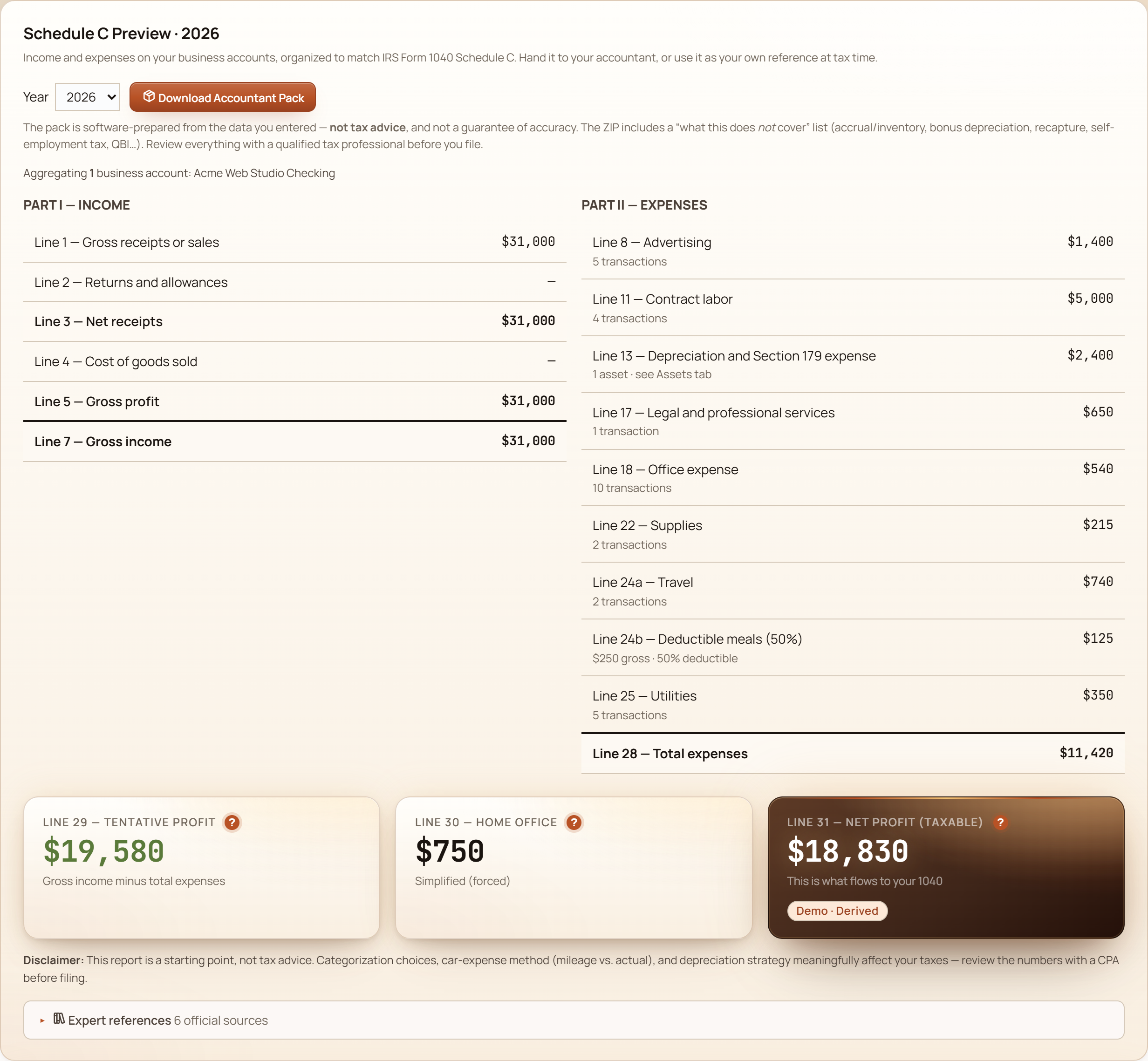
Schedule C, depreciation, mileage, 1099 prep, and the accountant pack path.
Open pageCheck shipped history
Release notes and the visible product evolution trail.
Open pageConfirm platform proof
Current installers, hashes, and platform availability.
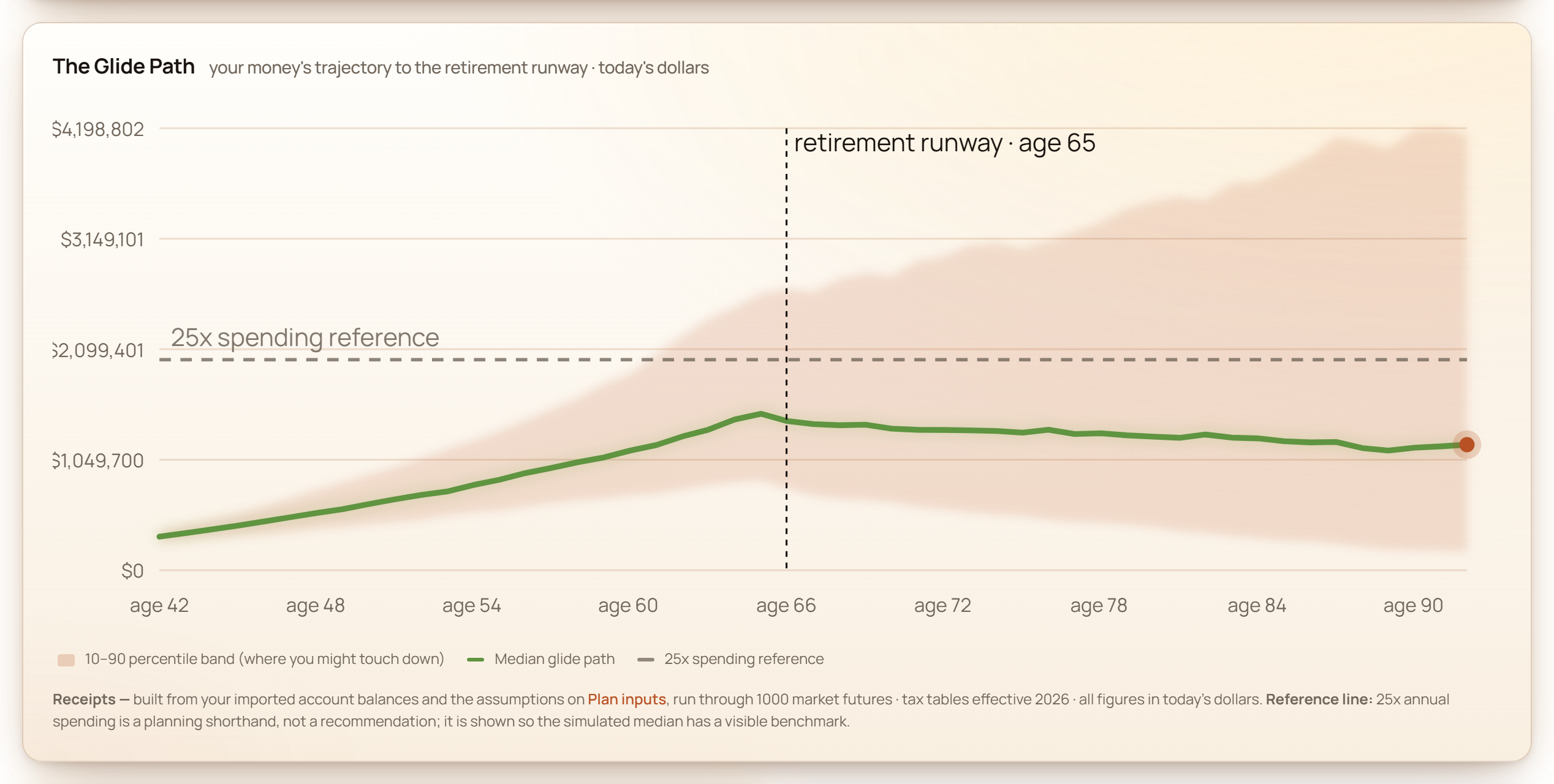
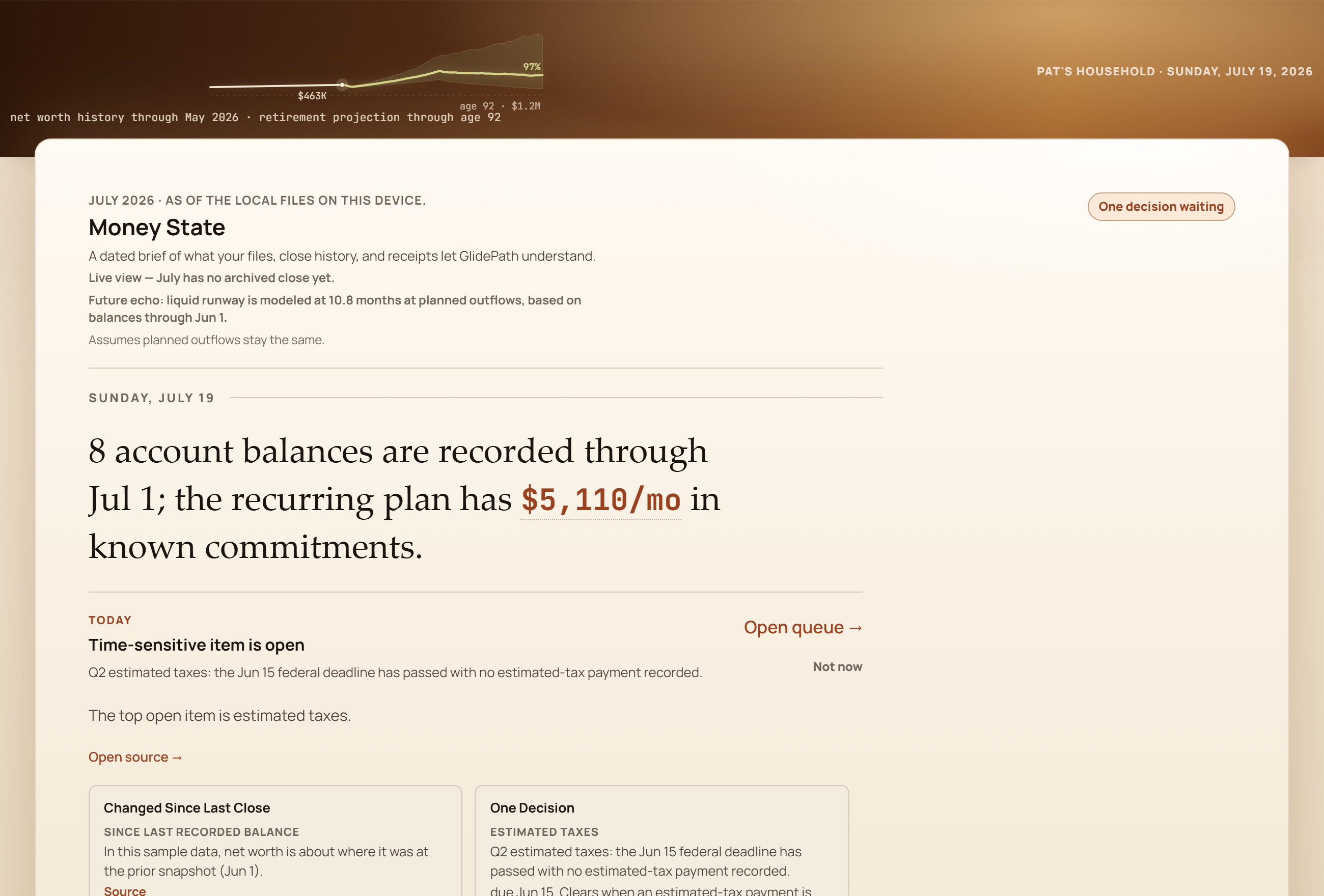
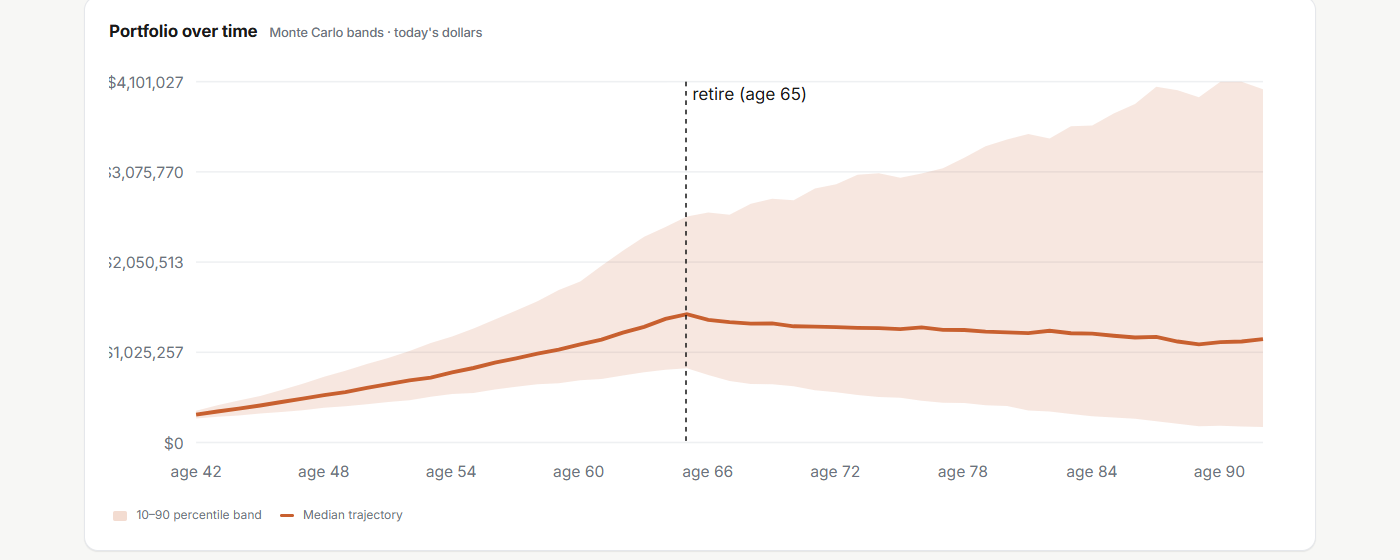
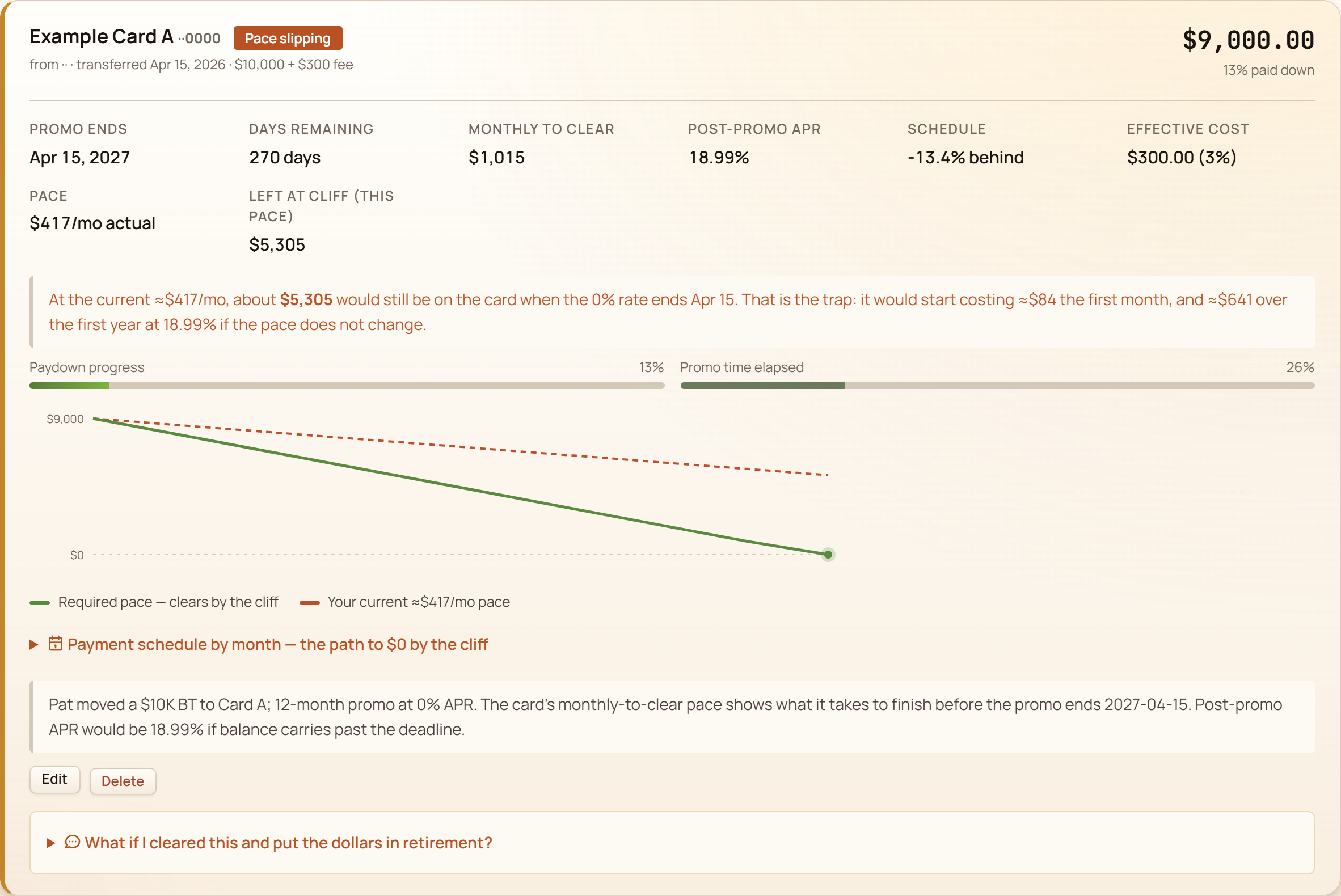
Open pageScreenshot pack
Use product proof, not abstract mockups.
These images are current public site assets that use fictional demo data. They are safe for commentary when the caption keeps that context attached.

Claim boundaries
The safe way to describe GlidePath.
GlidePath is intentionally ambitious, but the wording should stay precise. The review should make the category fit stronger by saying what the product does not do.
- Do not describe GlidePath as an advisor, robo-advisor, tax preparer, or investment manager.
- Do not say it replaces a CPA, attorney, fiduciary advisor, or tax software.
- Do not imply automatic bank sync or mobile-first daily budgeting.
- Do not erase the optional maintenance plan; use desktop license plus optional maintenance after year one.
- Do not overstate privacy boundaries; use local core file by default, with named optional online features.
“A finance app should answer the question, then let you go.”