Review before save
CSVs, spreadsheet exports, and browser-captured bank files go through a review step before they become part of your file.
Control before automation
GlidePath Money is a desktop-license planning app for people who want financial clarity without permanent bank access. Your data stays yours. GlidePath's value is helping you understand it. Bring in a file, review what changed before it saves, and keep the core financial file on your own computer by default.
30-day refund window · Personal license is $129 · Personal + Business license is $199 · first year of updates included, then $39/yr auto-renews — cancel anytime and your install keeps working
Why this page exists
Many money apps begin with the same move: connect every bank account and let a background feed run. That can be convenient, but it also asks a lot from the user before trust exists.
GlidePath starts from a different habit: bring in a file, review what will change, save only after it makes sense, and use the plan from a file you can back up, inspect, and move.
The monthly money close
The product is designed around a loop with an end: review the incoming data, understand the few things that changed, then leave with the next useful action clear.
CSVs, spreadsheet exports, and browser-captured bank files go through a review step before they become part of your file.
Overview, Action Queue, Trust Brief, spending, cards, and planning pages are meant to separate signal from noise.
A useful money review should have a stopping point. The goal is fewer open loops, not a feed you keep checking.
Real screens, not promises
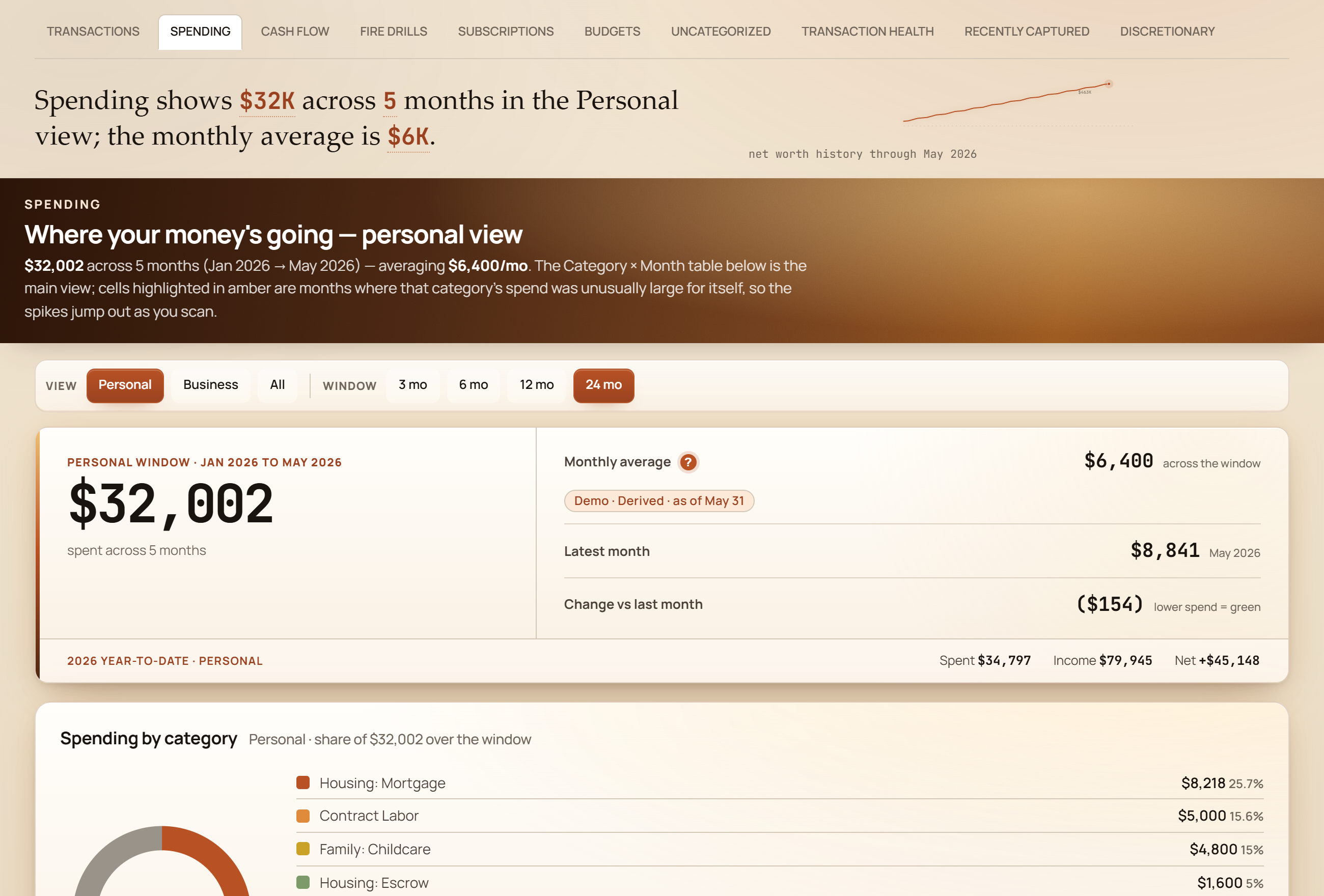
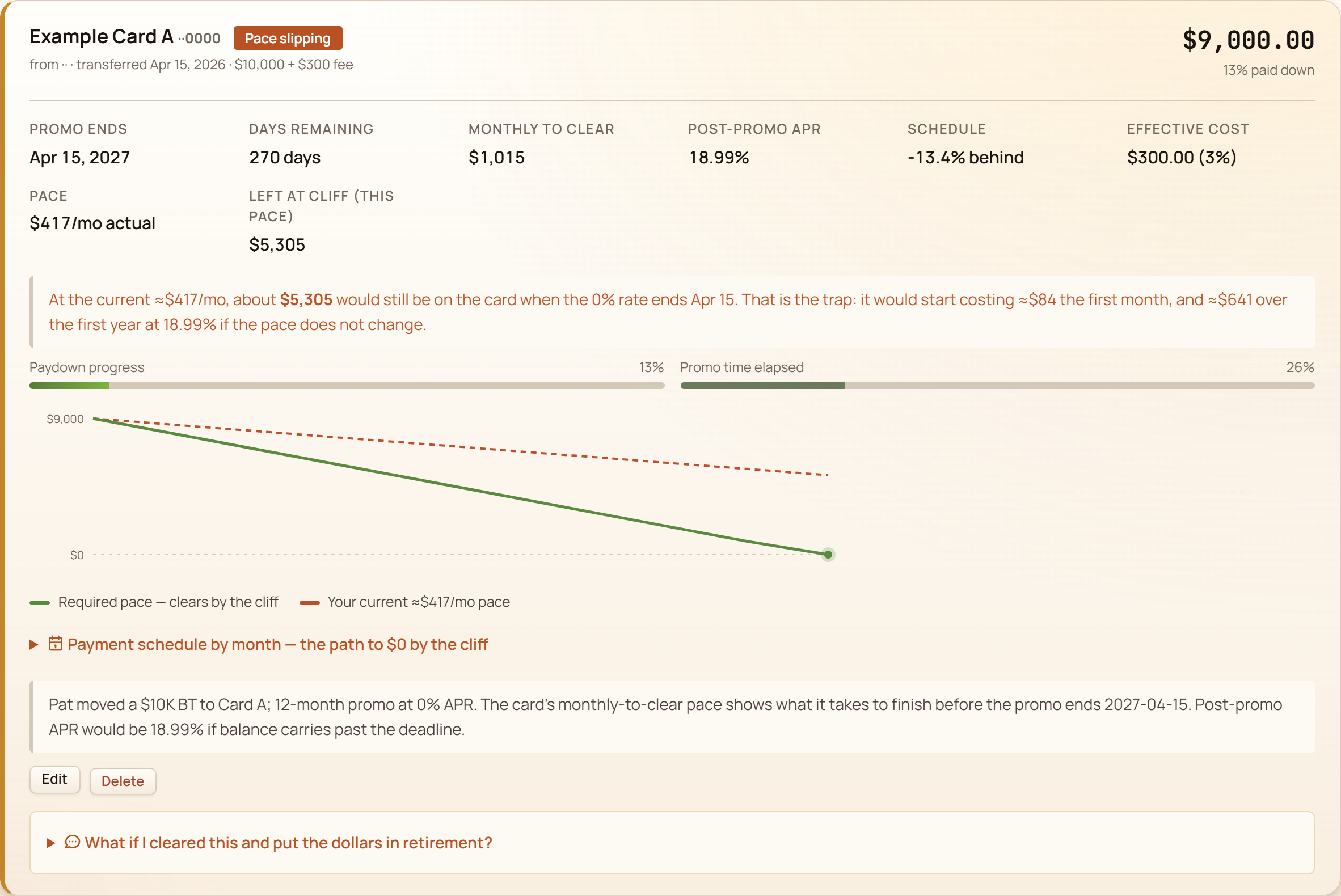
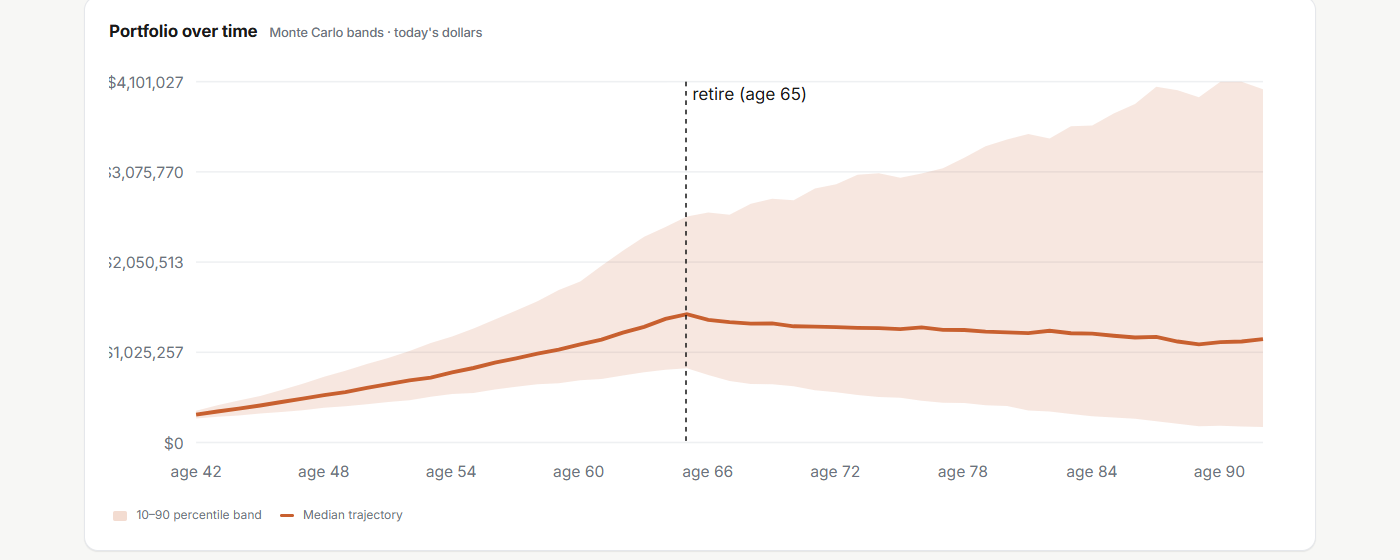
These are demo-data screenshots from the actual app. They show the shape of the workflow: overview first, deeper planning only when the user asks for it.
The exact privacy boundary
This is the promise that can survive scrutiny: the core financial file stays on your computer by default. Required service calls and optional online features are separated and named.
A clear fit test
Start with the real app
GlidePath is planning software, not a lender, credit-repair service, investment adviser, or tax preparer. It helps you see the numbers and assumptions so your review is clearer.