No bank login. No aggregator.
Budgeting without handing over your bank login.
Most budgeting apps ask you to “connect your bank” through Plaid, Yodlee, MX, or another connection layer. That can be convenient, but it also puts another company between your accounts and your budget. GlidePath Money is built around a different tradeoff: reviewable imports, no required bank-login connection, and a core financial file that lives on your computer by default.
Why “connect your bank” is the part people hate.
When an app routes through a bank-login aggregator, a connection layer sits between your bank and the product you actually chose. For a lot of people, that extra party, extra permission, and always-on sync model is the uncomfortable part. GlidePath does not remove work; it makes the data path visible enough to review.
How GlidePath gets your transactions — without Plaid.
A browser extension
Click “Download transactions” on Chase, Amex, Citi, or Bank of America like you normally would; the free extension catches the file and hands it straight to your local app. Your login stays between you and your bank.
CSV import (+ PDF capture)
Any other bank: download a CSV and drop it onto the Import page — the column mapper figures out the format and remembers it. Works with every bank that exports CSV, no integrations required. Supported statement PDFs can also be reviewed locally: Chase, American Express, and Bank of America can import line-item transactions today; Citi PDFs still work for balance-transfer review, with CSV for transactions.
Local by default
GlidePath is a desktop app. Your transactions live in plain files on your own computer; importing them by CSV or the extension doesn’t send them to us. Optional AI features are separate cloud paths and explain what they send before you use them.
Prefer Linux? GlidePath ships a native Linux build (.deb and tarball). Get the Linux build →
Even your credit-score breakdown — the five factors the scoring models weigh, mapped onto your own cards — is computed locally. No credit-report pull, no soft inquiry, no third-party score service.
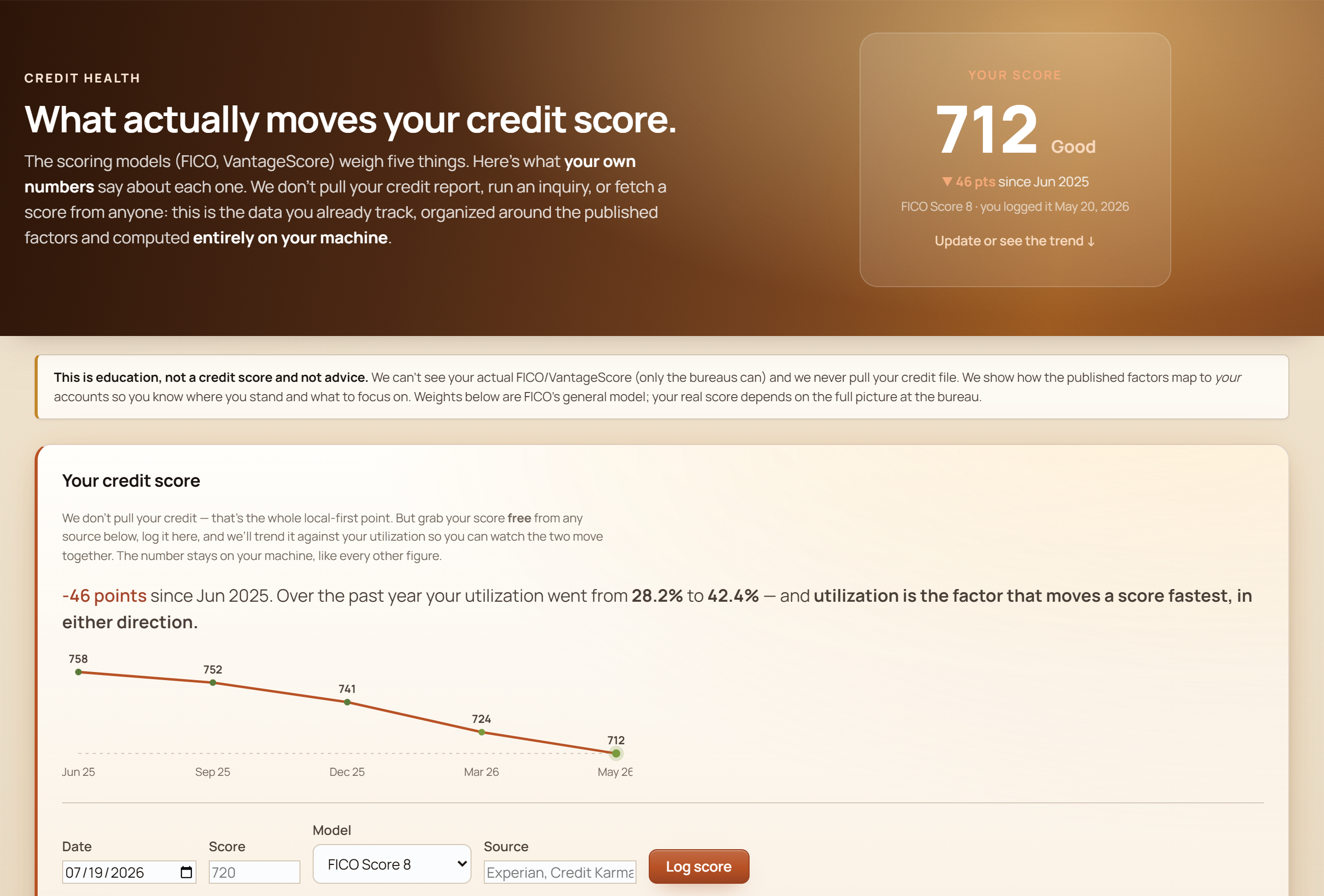
No aggregator touches any of this — it’s your own numbers, organized around the published scoring factors, on your own machine.
The tradeoff — and why it’s worth it.
No aggregator means no fully-automatic background sync.
With connected apps, transactions can appear on their own. With GlidePath you capture a supported download through the extension, or drop in a CSV every week or two. It is more hands-on by design — the effort is what buys you privacy, control, and a real understanding of your money. The import is visible before it changes your file, and no aggregator needs a permanent bank-login connection.
And it’s a full planner, too.
Privacy isn’t the only reason to be here. GlidePath also does the forward-looking math most trackers skip: retirement Monte Carlo, your Tax Valley and Roth-conversion window, 0% balance-transfer countdowns, and a plain-English helper that explains any number without ever seeing your accounts. See the planning depth →
Budget without giving up your bank login.
$129 desktop license for Personal, $199 for Personal + Business. Your core financial file stays local by default — that’s the whole point.
GlidePath shows you the math — for your specific situation, talk to a fiduciary advisor or CPA.